Key Takeaways
- Use an active vs passive exoskeleton comparison to assess assistance mechanisms, not to assume one category is always more suitable.
- Start with the task: map postures, movements, loads and work-cycle variation before shortlisting devices.
- Compare candidates against the same criteria, including worker feedback, freedom of movement and practical use during the shift.
- Check device claims against the needs of the real task, then use a workplace trial to assess fit before purchasing.
- Different tasks may suit different support, or no exoskeleton. Make the decision at task level rather than applying one choice across an entire site.
Table of Contents
- Active vs passive exoskeletons: how their assistance mechanisms differ
- Active vs passive exoskeleton comparison: what changes at work?
- Which exoskeleton type may fit your task and workplace?
- How to compare active and passive exoskeletons before choosing
- Validate active or passive exoskeleton fit through a workplace trial
Active vs passive exoskeletons: how their assistance mechanisms differ
Active and passive describe how an exoskeleton provides assistance. An active device uses powered input to generate support. A passive device uses mechanical components to support or redistribute effort without powered actuation during the task.
In plain terms, active assistance uses powered force from an energy source, while passive assistance comes from the device’s mechanical structure. This distinction is a useful starting point for an active vs passive exoskeleton comparison, but it doesn’t establish whether either type suits a particular job. Fit depends on the task, the device’s design and how the worker needs to move.
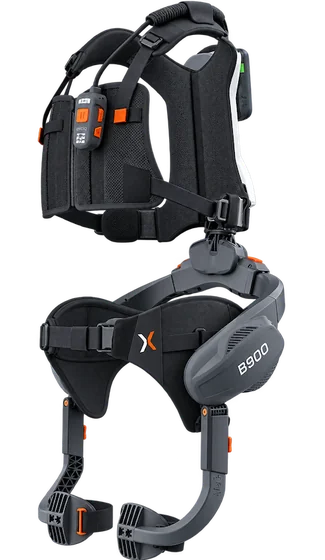
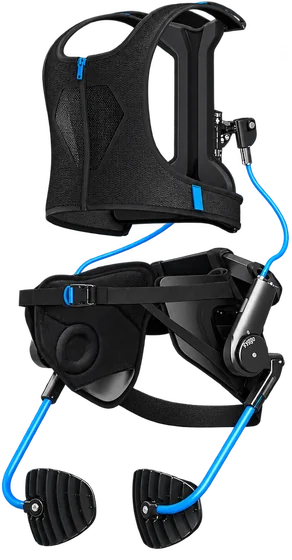
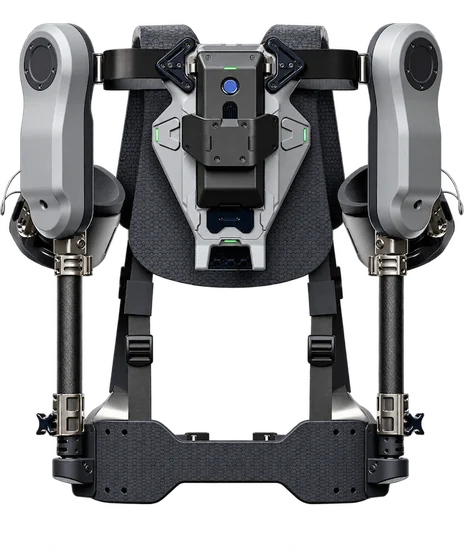
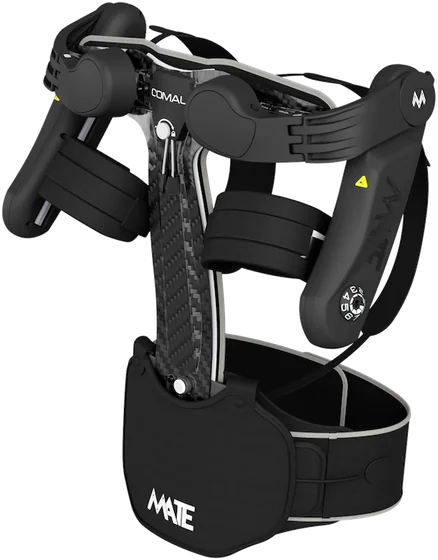
What makes an exoskeleton active?
An active exoskeleton uses an energy source, such as a battery or pneumatic supply, to power assistance. How it applies that support depends on the device. Designs can differ in the body areas they support and how assistance responds during movement. Don’t assume that every active system uses the same components or control approach.
For procurement, separate category-level facts from product claims. If a specification refers to motors, sensors, control modes, force or operating duration, assess the evidence for that device rather than assuming the claim applies to all active exoskeletons. Consider what the assistance is intended to do in the task and whether it interferes with movements workers need to perform.
What makes an exoskeleton passive?
A passive exoskeleton provides support without powered actuation during the task. Depending on its design, mechanical elements such as springs or elastic components may store and release energy or redirect effort to support a posture or movement. The mechanism and body area supported vary between devices.
“Passive” doesn’t mean weightless or unrestricted. A device still has to be worn, positioned and used during work, and its structure may affect movement or comfort. Those effects depend on the design and the individual worker, so evaluate them in practice rather than relying on assumptions.
The Exoskeleton (human) overview also distinguishes powered and passive systems by their assistance mechanisms. Use that distinction to organise an initial comparison, then examine device-specific documentation and workplace fit. Neither label is a verdict. First identify what support the task calls for.
Active vs passive exoskeleton comparison: what changes at work?
The assistance mechanism is only one part of the decision. Compare how each specific device supports the required body region and movement, then assess how it works in the actual task. The active or passive label describes how assistance is delivered, not whether an exoskeleton fits a workplace.
| Comparison point | Active device | Passive device | What to validate |
|---|---|---|---|
| Power source | Uses a power source for assistance; requirements vary by design. | Provides assistance without powered actuation during the task. | Confirm the device’s power requirements, set-up and operating instructions. |
| Assistance approach | Powered support is applied according to the device’s design. | Mechanical components support or redistribute effort, depending on design. | Identify the body region, posture and movement the device is designed to support. |
| Work-cycle fit | Suitability depends on the task, device operation and transitions between activities. | Suitability also depends on the task, support mechanism and movement demands. | Assess task duration, repetition, posture changes and varied duties. |
| Use at work | Comfort, mobility, set-up and compatibility depend on the individual device and user. | Check work clothing, other equipment, the environment and worker feedback during use. | |
Compare the device, not just the category
Start with the movement and body region each candidate is intended to support. A broad label doesn’t show how a device behaves during reaching, bending, walking or transitions between tasks. Separate confirmed specifications from assumptions: verify details such as power requirements, weight and maintenance in the product documentation instead of inferring them from “active” or “passive”.
Research can also be specific to a particular design and task. For example, the NIOSH study Model-Based Comparison of Passive and Active Assistance Designs in an Occupational Upper Limb Exoskeleton for Overhead Lifting focuses on upper-limb assistance for overhead lifting. Treat evidence like this as relevant to its stated context, not as a universal verdict on every device or workplace.
Compare the operating conditions
Assess each candidate under the same work conditions. Record how long the task lasts, how often it repeats, which postures workers adopt and how often they switch to other duties. Check whether set-up is practical and whether the device works alongside required clothing and equipment in the workplace environment.
Gather worker feedback during use, including comfort, movement restrictions and perceived changes in effort or discomfort. Product descriptions can help build a shortlist, but they can’t establish real-world fit. For a structured, vendor-independent comparison, use exoskeleton task matching to identify options that may suit the work before considering a workplace trial.
Ready to find the right device for your operation?
Find my exoskeleton →Which exoskeleton type may fit your task and workplace?
Start with the work, not the job title or device category. Describe the activity in enough detail to identify what support might be relevant: the postures workers hold, the movements they repeat, the loads they handle and how the work cycle changes. An intermittent overhead task may have different requirements from one involving sustained reaching.
A warehouse, factory or construction site may have tasks that call for different support, as well as tasks for which no exoskeleton is the right choice. A posture or sector label alone isn’t enough to select active or passive assistance. Map each task separately, including transitions between activities and constraints such as available space, work clothing and other equipment.
Map the task before comparing devices
Observe the activity as it is normally performed. Note how often workers change posture, whether they walk or handle materials between repetitions, and how task demands vary across a shift. Record conditions in the actual work area, since set-up and movement requirements can affect whether a device is practical to use.
Use these observations to inform screening and selection, not as a substitute for professional ergonomic consultancy. DGUV 208-062 provides guidance for selecting and using exoskeletons. Ryggo’s matching process follows this framework and uses a short workplace video and task survey to produce an automated RULA-based screening estimate. The estimate is not a certified assessment and does not replace professional ergonomic consultancy.
Include workers in the fit decision
A task description can narrow the options, but workers’ experience helps show whether a device is usable in practice. Include the people who perform the activity in the evaluation, and gather feedback during use rather than relying only on product specifications.
- Comfort: Does wearing and adjusting the device feel manageable during the task?
- Movement: Can workers reach, turn, walk and change posture as their duties require?
- Perceived support: Do users feel the device supports the intended activity, or does it create a new difficulty?
- Variation between users: Do workers carrying out the same task report different experiences?
Keep conditions consistent when comparing devices, and record both positive and negative feedback. A potential reduction in strain is an outcome to assess, not a guaranteed result. An active vs passive exoskeleton comparison can help identify candidates, but workplace evaluation shows whether a device fits the task and the people doing it.
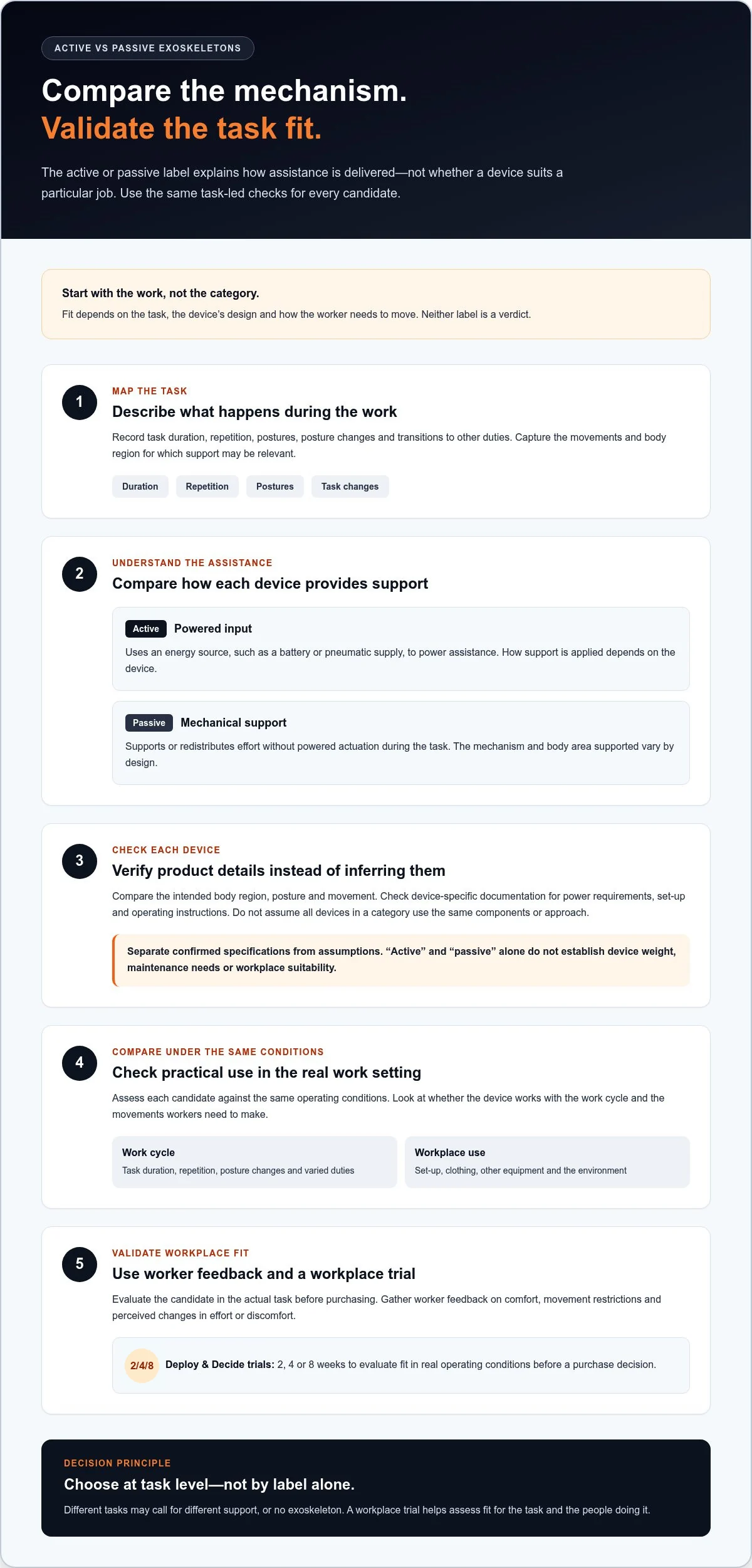
How to compare active and passive exoskeletons before choosing
A fair comparison starts before devices are selected. Define the task, the workers involved and the operating conditions, then agree on what a suitable outcome would look like. This prevents a prominent product claim, brand name or assistance category from setting the criteria after the comparison has begun.
For an active vs passive exoskeleton comparison, use the same task conditions and questions for every candidate. Keep the assessment practical: can the worker complete the required movements, is the device manageable to put on and use, and does it fit the work cycle and surrounding equipment?
Create a fair comparison protocol
Write down the task and evaluation criteria first. Include the user group, work area, clothing and equipment, task duration, posture changes and transitions between duties. Record observations consistently, and give workers the same opportunity to report comfort, movement restrictions and perceived support. This makes differences between devices easier to interpret.
- Task fit: Does the device support the intended movement and body region?
- Usability: Can workers manage set-up and movement during normal duties?
- Operational practicality: Does it fit the work environment and task cycle?
- Worker feedback: What feels supportive, uncomfortable or restrictive?
Use DGUV 208-062 as selection guidance, and distinguish evidence about the device from screening information about the task. A vendor-neutral recommendation should be based on fit across vendors, not paid visibility or sponsorship. Ryggo does not accept paid listings or vendor sponsorship; its recommendation is based solely on fit.
Interpret early evidence carefully
A screening result can help inform which options to consider, but it isn’t a certified assessment or a complete ergonomic evaluation. Ryggo’s workplace video produces an automated RULA-based screening estimate. It does not replace professional ergonomic consultancy and shouldn’t be treated as proof of long-term safety or productivity outcomes. Keep that distinction clear in procurement records.
Capture the decision in a short record: the task assessed, criteria used, worker feedback, evidence reviewed, uncertainties and the reason for the next step. Note what still needs validation rather than turning an early indication into a final conclusion. If the evidence supports proceeding, a workplace trial can assess fit in actual conditions before purchase.
For a vendor-independent starting point, use exoskeleton task matching to structure the comparison around your work.
Validate active or passive exoskeleton fit through a workplace trial
A shortlist is only a starting point. Trialling a recommended exoskeleton in the actual work environment lets workers and managers assess whether it suits the task, supports the intended movement and remains practical across the work cycle. That evidence can confirm or challenge the assumptions behind an active vs passive exoskeleton comparison.
Ryggo, Europe’s first independent exoskeleton exchange, uses a 30-second workplace video and a short task survey to provide one neutral recommendation based solely on fit across vendors. Steps 1-3 take about 10 minutes. Uploaded videos are deleted after analysis. The video produces an automated RULA-based screening estimate, which does not replace professional ergonomic consultancy.
What Deploy & Decide includes
Deploy & Decide offers workplace trials of 2, 4 or 8 weeks. Use the trial to assess the device under the conditions that matter: the normal task sequence, required movements, work clothing and equipment, and feedback from the people doing the work. Record whether the device feels supportive, restricts movement or creates practical difficulties. The aim is to assess fit and potential ergonomic value, not to assume a benefit in advance.
If a trial is unsuccessful, the refund is up to 75% for a 2-week trial, up to 70% for a 4-week trial and up to 60% for an 8-week trial. If the buyer proceeds to purchase, 100% of the trial fee is credited towards it, so there’s no double payment.
Move from comparison to an informed decision
At the end of the trial, review the evidence against the criteria set before it began. Include user feedback, task suitability, movement and day-to-day practicality. Decide whether to proceed, gather further evidence or rule out the device. A trial can help determine whether the exoskeleton supports ergonomics or may reduce strain in the specific task; it cannot guarantee safety or establish long-term outcomes.
Ryggo operates in 23 European countries under one set of commercial terms. Devices ship directly from their manufacturers, who provide delivery, onboarding, training and service. To move from a vendor-independent recommendation to a workplace trial, explore exoskeleton task matching.
Not sure which exoskeleton fits your task? Let the Ryggo advisor match it independently.
Find my exoskeleton →Make the decision on task fit, then validate it
Active and passive exoskeletons differ in how they provide assistance, but neither category is automatically right for a task. Compare specific devices against the movements, work cycle and operating conditions, then include worker feedback before making a decision. A label can narrow the options; it can’t confirm workplace fit.
Testing before purchasing helps establish whether a recommended device is practical for the task and users. Ryggo, Europe’s first independent exoskeleton exchange, provides one neutral recommendation based solely on fit across vendors. Paid listings and vendor sponsorship are not accepted. Matching is free and unlimited, using a 30-second workplace video and short task survey.
With Deploy & Decide, companies can trial an exoskeleton for 2, 4 or 8 weeks. If they proceed to purchase, 100% of the trial fee is credited towards it. Use the trial to evaluate fit in real working conditions, not to assume a particular outcome.
Explore a fit-based exoskeleton recommendation and Deploy & Decide trial. A structured comparison and workplace trial can help you move forward with greater clarity.
Frequently asked questions
What is the difference between an active and a passive exoskeleton?
An active exoskeleton uses an energy source to provide powered assistance. A passive exoskeleton provides mechanical support without powered actuation during the task. The specific body area supported and how assistance works depend on the design. These labels describe the assistance mechanism, not whether a device suits a particular job. Compare device specifications and task requirements before deciding which type to evaluate.
Are active exoskeletons better than passive exoskeletons?
No type is universally better. The right option depends on the task, movements, work cycle and the device’s specific design. An active vs passive exoskeleton comparison can help organise the decision, but category alone can’t establish fit. Compare candidates under the same conditions, and include worker feedback on comfort, mobility and perceived support. A workplace trial can help assess whether a device is suitable in practice.
When should a workplace consider a passive exoskeleton?
Consider evaluating a passive exoskeleton when a task involves repeated movements or sustained postures that may benefit from mechanical support. Suitability still depends on the exact activity and device. Map the postures, movement changes and work cycle, then check whether the device supports the intended body area without creating practical restrictions. Use DGUV 208-062 as selection guidance and assess potential ergonomic value with workers in the workplace.
Can an active exoskeleton support different tasks in the same workplace?
Possibly, but don’t assume one active device will suit every task. Support depends on the device’s design, intended movements and body area, while tasks can differ in posture, duration and transitions. Assess each activity separately, even within the same warehouse or factory. Compare the device’s documented capabilities with the actual work, then gather user feedback during a trial before extending its use to other tasks.
Does an automated RULA score certify that an exoskeleton is suitable?
No. Ryggo’s video produces an automated RULA-based screening estimate, not a certified assessment. It can inform initial screening and selection, but it doesn’t confirm that a specific exoskeleton suits a task or worker. The estimate also does not replace professional ergonomic consultancy. Assess the actual work and users, and use a workplace trial to evaluate fit and potential ergonomic support under real operating conditions.
How long does Ryggo’s exoskeleton matching process take?
Steps 1-3 take about 10 minutes. The free, unlimited matching process uses a 30-second workplace video and a short task survey to provide one neutral recommendation based solely on fit across vendors. Uploaded videos are deleted after analysis. The video-generated RULA output is an automated screening estimate, not a certified assessment, and it does not replace professional ergonomic consultancy.
How long can an exoskeleton trial last, and what happens to the fee?
Deploy & Decide trials last 2, 4 or 8 weeks. If a trial is unsuccessful, the refund is up to 75% for 2 weeks, 70% for 4 weeks or 60% for 8 weeks. These are maximum refund rates, not a guarantee of a full refund. If you proceed to purchase, 100% of the trial fee is credited towards it, so there’s no double payment.
Find the right device before you trial anything
The Ryggo advisor maps your task, environment, and requirements to compatible devices — independently, across the full European market.
Find my exoskeleton →