Key Takeaways
- Use an AI-powered ergonomic assessment to flag posture concerns and guide next steps, not as a certified assessment or a substitute for professional evaluation.
- Combine video screening with task details such as loads, movements and the work environment to make findings more relevant to intervention selection.
- Choose representative work, capture the task and review the results in context before deciding whether a broader ergonomic assessment is needed.
- Compare screening with broader assessment approaches to understand what each can establish and which decision it can support.
- Ryggo’s matching steps take about 10 minutes and can lead to a vendor-neutral recommendation and an optional Deploy & Decide trial before purchase.
Table of Contents
- What AI-powered ergonomic assessment can tell you about workplace risk
- How AI screening, RULA and task data work together
- AI screening versus a broader ergonomic risk assessment
- How to turn an ergonomic screening into a defensible workplace decision
- From AI ergonomic assessment to exoskeleton testing with Ryggo
What AI-powered ergonomic assessment can tell you about workplace risk
Before choosing an intervention, identify which task needs attention. An AI-powered ergonomic assessment can help teams screen observed posture and decide whether a task warrants closer review. It provides a starting point for a workplace decision, not a verdict on risk or a guarantee that a particular intervention will work.
Computer-based methods have long supported the analysis of ergonomic problems. Computer-aided ergonomics provides useful background to this approach. Modern video screening can make posture observations more structured, but findings still need to be considered alongside the work and the people doing it.
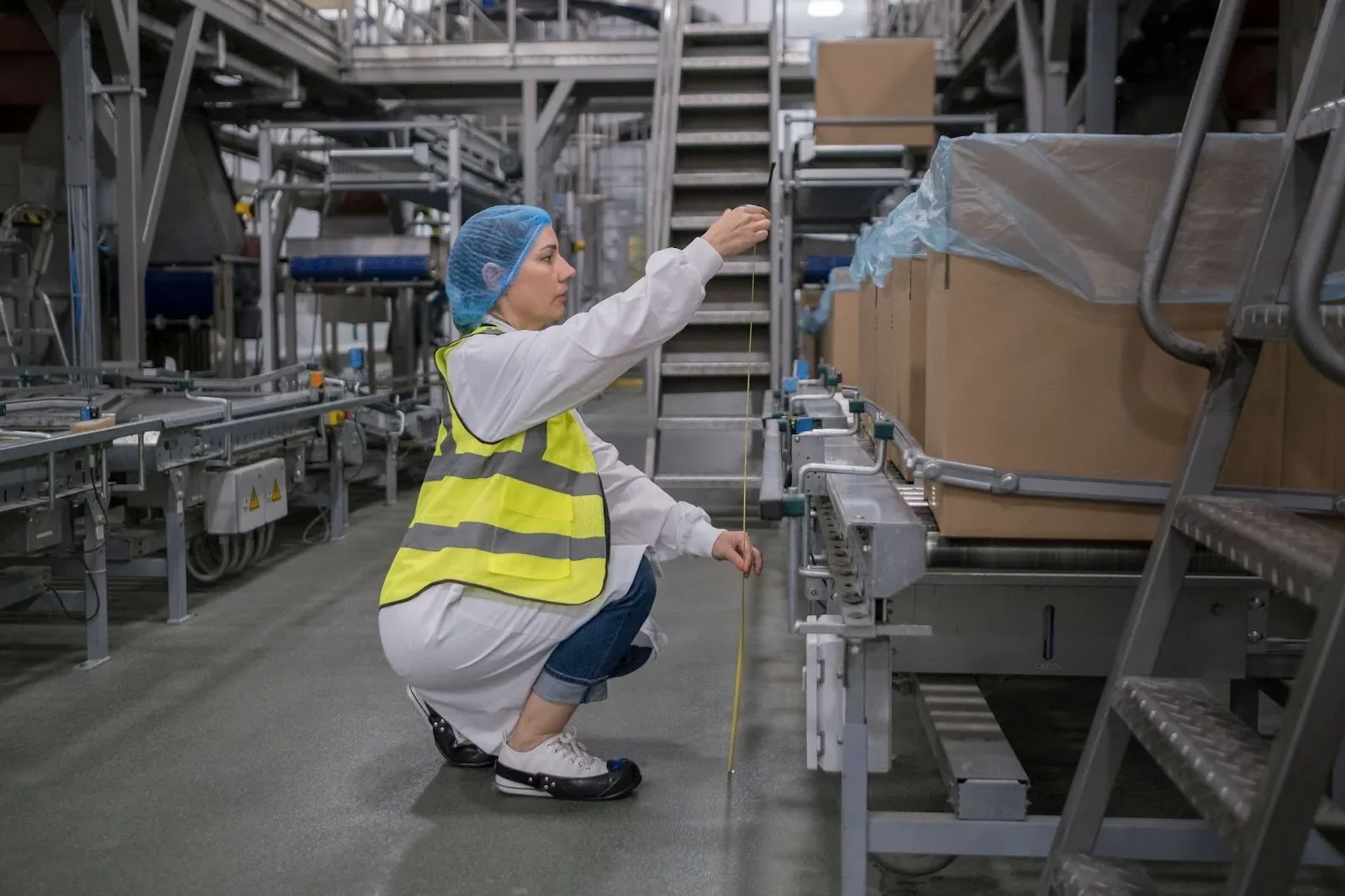
What does an AI ergonomic screening assess?
Video-based screening analyses visible working positions in the footage, such as how a person bends, reaches or holds their arms during a task. Ryggo uses RULA, a screening method focused on posture and potential musculoskeletal loading, to generate an automated estimate. RULA does not capture every workplace risk, and an estimate from video is not a certified assessment or a full ergonomic evaluation.
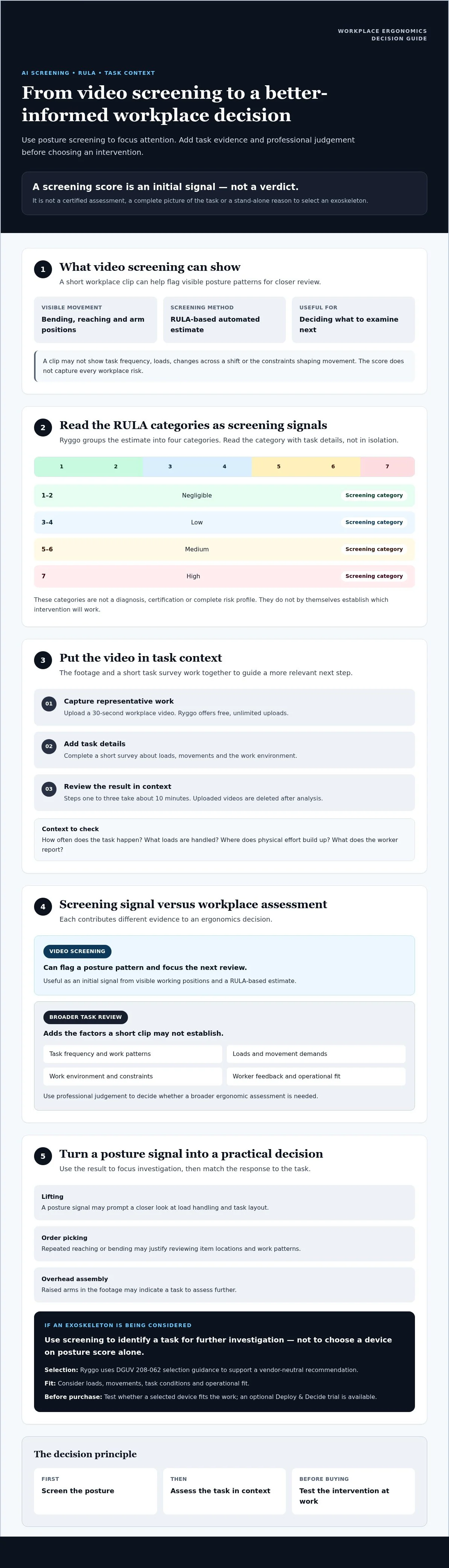
Ryggo’s RULA categories are 1-2 negligible, 3-4 low, 5-6 medium and 7 high. Treat these as screening categories, not a complete risk profile. A short clip may not show how often the task is repeated, what loads are handled, how the task changes across a shift or what constraints shape the movement. Ryggo deletes uploaded videos after analysis.
Which workplace decisions can screening inform?
Use the result to decide what to examine next. A posture signal during lifting may prompt a closer look at load handling and task layout. In order picking, repeated reaching or bending may justify reviewing item locations and work patterns. For overhead assembly, raised arms in the footage may indicate a task to assess further. These observations can help teams consider whether a process change, broader ergonomic assessment or ergonomic intervention is appropriate. They do not establish that a particular change will prevent injury or improve productivity.
Good decisions also account for worker feedback and operational fit. Consider the task’s loads, movements and environment, then weigh the screening against other relevant evidence. If an exoskeleton is being considered, the posture estimate alone is not enough to select a device. It can help identify a task for further investigation, while task-specific evidence guides whether testing an intervention makes sense.
How AI screening, RULA and task data work together
A useful screening result depends on more than posture in a single frame. Ryggo’s process combines a workplace video with task information, then uses both to inform an automated estimate and exoskeleton selection guidance. This provides a more relevant starting point than viewing a score in isolation.
An automated RULA score is a screening estimate, not a certification or a complete ergonomic assessment. It can flag a posture pattern for review, but it cannot establish the full level of workplace risk or replace professional judgement.
What happens after a workplace video is uploaded?
Users can upload a 30-second workplace video for free, with unlimited uploads. Ryggo analyses the footage for a RULA-based screening estimate, then asks users to complete a short survey about the task, including loads, movements and the work environment. Uploaded videos are deleted after analysis.
The video is one input, not a complete workplace audit. The survey adds context the footage may not show, such as what is being handled and how the task is performed. Together, these inputs help guide the next step. The matching process for steps one to three takes about 10 minutes.
How should RULA screening scores be interpreted?
Ryggo uses these RULA categories: 1-2 negligible, 3-4 low, 5-6 medium, 7 high. The category flags a screening-level posture concern. Read it alongside the task details, not as a diagnosis, certification or stand-alone reason to buy equipment.
Similar-looking postures may occur in tasks with different loads, movement patterns or working environments. A score can help identify what to investigate, but it does not capture every ergonomic factor. If the task needs a broader review, use the screening as a prompt for further assessment rather than as a substitute for professional ergonomic judgement.
When an exoskeleton is under consideration, task context should also inform device fit. Ryggo follows DGUV 208-062 selection guidance to support one vendor-neutral recommendation based solely on fit across vendors. That recommendation can help teams decide whether to explore testing before purchase. To review the process, visit the exoskeleton advisor.
Ready to find the right device for your operation?
Find my exoskeleton →AI screening versus a broader ergonomic risk assessment
An automated score can help identify a task for review, but it cannot determine the complete workplace solution. An AI-powered ergonomic assessment based on a short video offers a focused screening signal, while a broader ergonomic risk assessment can consider a wider range of work conditions and evidence. Both have a role, but they support different decisions.
A screening result is a signal about observed posture; a broader assessment examines the work conditions that shape risk.
| Aspect | Automated screening | Broader ergonomic assessment |
|---|---|---|
| Purpose | Flag a task or posture for closer review. | Build a more complete understanding of ergonomic risks and possible controls. |
| Inputs | Typically, a short video and task information supplied with it. | May include observation, worker feedback and further task or workplace information, depending on the assessment. |
| Scope | Limited to what the screening method and available inputs capture. | Can examine broader work conditions, including factors a short clip may not reveal. |
| Output | An automated screening estimate, such as a RULA-based result. | Professional findings and recommendations informed by the scope of the assessment. |
| Next decision | Prioritise a task, gather context or seek further assessment. | Use the findings to consider suitable workplace measures and follow-up. |
When is automated screening a useful first step?
Screening can help prioritise tasks when a team needs an initial view across different work activities. A video of a workstation task may give HSE and operations teams a shared reference point for discussing what to review next. It can organise an early conversation, not settle it. If work changes frequently, involves unusual movements or is difficult to represent in a short clip, the screening may leave important questions unanswered.
When should a workplace seek broader expertise?
Seek qualified professional input when a decision depends on a comprehensive ergonomic assessment, when risks are complex, or when screening and worker feedback point to concerns that need closer investigation. Consider the conditions around the task, including how it varies and what workers experience. Ryggo’s automated output does not replace ergonomic consultancy or a certified assessment. Use it as one source of evidence, then choose the level of review that fits the decision.
How to turn an ergonomic screening into a defensible workplace decision
A screening result becomes useful when it leads to a clear, task-based decision. Define the task, capture representative work, add the missing context, then review the findings with workers and operations before deciding what to change or test.
For exoskeleton selection, assess fit against the actual work rather than choosing by device category. A warehouse task may involve replenishment; a factory role, repeated assembly; retail work, stock handling; construction, overhead installation; or healthcare, patient handling. Each involves different movements and constraints, so task evidence matters.
Prepare useful video and task information
Choose footage that shows the posture or movement you want to review during normal work. A short clip cannot represent every worker, shift or task variation, so note what it does and does not capture. In the accompanying survey, describe relevant loads, movements and environmental conditions accurately. Include details that shape the task, such as confined space on a construction site or access around equipment in a factory.
Use worker feedback to check whether the footage reflects their typical experience. This gives the AI-powered ergonomic assessment useful context without treating one clip as a complete picture of the operation.
Use a neutral recommendation to decide what to test
Ryggo uses task information and DGUV 208-062 selection guidance to provide one vendor-neutral recommendation based solely on fit across vendors. Paid listings are not accepted. Use the rationale to decide what to investigate or test, while recognising that the recommendation does not replace a broader ergonomic assessment where one is needed.
Before proceeding, agree how to assess practical fit in the task. Record worker feedback, ease of movement and operational considerations during any trial. Explore task-specific exoskeleton matching when you’re ready to consider a recommendation.
From AI ergonomic assessment to exoskeleton testing with Ryggo
An AI-powered ergonomic assessment can help identify a task for closer review. Ryggo connects that screening signal to task details and an exoskeleton recommendation, with the option to test a selected device before deciding whether to purchase.
The steps are straightforward: upload a workplace video for a free RULA-based screening estimate, complete a short task survey about loads, movements and the work environment, then review one vendor-neutral recommendation with its rationale and ROI. Steps one to three take about 10 minutes. This estimate does not include a trial. Uploaded videos are deleted after analysis, and the automated RULA result is a screening estimate, not a certified assessment.
What makes Ryggo’s recommendation independent?
Paid listings are not accepted. Ryggo’s recommendation is based solely on fit across vendors, providing one recommendation rather than competing paid placements. DGUV 208-062 informs the exoskeleton selection guidance, helping buyers focus on whether a device suits the task.
What should buyers know before starting a trial?
With Deploy & Decide, companies can try selected devices in their own operation before purchasing. Trials are available for 2, 4 or 8 weeks. Use the trial to assess practical fit, gather worker feedback and identify operational considerations. It is an opportunity to evaluate suitability, not a guaranteed outcome.
The trial fee counts fully toward a purchase, so no double payment is required. If a trial is unsuccessful, refunds are up to 75% for 2 weeks, 70% for 4 weeks or 60% for 8 weeks. Review the relevant trial terms as you plan the decision.
To move from screening to a task-specific recommendation, explore Ryggo’s exoskeleton assessment and matching process.
Not sure which exoskeleton fits your task? Let the Ryggo advisor match it independently.
Find my exoskeleton →Turn screening evidence into a practical next step
An AI-powered ergonomic assessment can help flag a task for review, but a score alone cannot determine the right workplace solution. Add task details and worker feedback, and seek broader professional assessment where the decision requires it. If an exoskeleton may fit, test the option in the actual operation before committing to a purchase.
Ryggo offers free, unlimited RULA-based screening estimates from workplace videos, followed by task information and one vendor-neutral recommendation based solely on fit. Paid listings are not accepted. For a selected device, Deploy & Decide trials let teams assess operational fit before purchase, with trial fees fully credited toward a purchase.
Use the evidence to make a considered decision, not to treat screening as certification or a guaranteed outcome. Explore Ryggo’s independent exoskeleton assessment and matching process to identify a practical next step for your workplace.
Frequently asked questions
Is AI-powered ergonomic assessment accurate enough for workplace decisions?
It can provide a useful initial signal, but accuracy depends on what the video shows and how well the task context is described. Use the result to flag a posture or task for review, not as the sole basis for choosing an intervention. Consider loads, movements, work conditions and worker feedback too. If the task is complex or the decision needs a comprehensive risk picture, seek qualified professional input.
Can an AI ergonomic assessment replace a professional ergonomic assessment?
No. An automated screening estimate is not a certified assessment and does not replace professional ergonomic consultancy. It can help teams identify tasks for closer review and structure early discussions between HSE and operations. A broader assessment may be needed to examine work conditions beyond what a short video captures. Combine screening findings with worker feedback and relevant task information, and involve qualified professionals when the decision calls for comprehensive evaluation.
What do RULA ergonomic screening scores mean?
RULA categories indicate the level of screening concern identified from observed posture: 1-2 negligible, 3-4 low, 5-6 medium, 7 high. Treat the result as an automated screening estimate, not a diagnosis or certification. It does not capture every workplace risk or establish which intervention is right. Interpret the score alongside task details, including loads, movements and environment, and decide whether further assessment is appropriate.
How long does Ryggo’s AI-powered matching process take?
Ryggo’s first three steps take about 10 minutes: upload a workplace video, complete a short task survey and receive one vendor-neutral recommendation with rationale and ROI. The video screening estimates posture using RULA, while the survey adds context about loads, movements and the work environment. This timing applies to the matching steps only. It does not include a Deploy & Decide device trial.
What happens to workplace videos uploaded for ergonomic screening?
Uploaded videos are deleted after analysis. Ryggo uses a workplace video to produce an automated RULA screening estimate, which is an initial signal rather than a certified assessment or full workplace audit. Choose footage that represents the task you want to review, and provide accurate task context in the survey. If a clip does not show variations in the work, note that limitation when considering the result.
Can an AI ergonomic assessment recommend an exoskeleton?
It can contribute to an exoskeleton recommendation when the screening is considered with task information. Ryggo combines the video estimate with survey details and DGUV 208-062 selection guidance to provide one vendor-neutral recommendation based solely on fit. A recommendation is not proof that a device will suit every worker or operating condition. Where appropriate, a Deploy & Decide trial lets a company test a selected device in its own operation before purchase.
Does Ryggo accept paid listings from exoskeleton vendors?
No. Paid listings are not accepted. Ryggo’s recommendation is based solely on fit across vendors, with one neutral recommendation for the task rather than multiple conflicting recommendations. Buyers should still assess the rationale against their own task evidence, worker feedback and operational needs. If the recommended device appears suitable, testing it in the operation before purchase can help the team evaluate practical fit.
Find the right device before you trial anything
The Ryggo advisor maps your task, environment, and requirements to compatible devices — independently, across the full European market.
Find my exoskeleton →